
- แบรนชั้นนำ

GSO
- ชุดกล้องดูดาวแบบหักเห (Refractor)
- กระบอกกล้อง GSO ไม่รวมขาตั้ง
- รางยึด Dovetail Plates / Bar / Saddles / Dovetail Mounts
- ชุดเลนส์ตา (Eyepiece kit)
- เลนส์ตา Super-Plossl (มุมกว้าง 45-50° FOV)
- เลนส์ตา SuperView (มุมกว้าง 68° FOV)
- เลนส์ตาสำหรับถ่ายภาพ (Imaging Eyepieces)
- Barlow Lens
- Reducers Correctors
- ฟิลเตอร์ (Filters)
- ตัวงอ (Diagonals)
- ฟอกัสเซอร์ (Focusers)
- กล้องเล้ง (Finderscopes)
- ตัวแปลง (Adapters)
- ท่อขยาย (Extension Tubes, Rings, Spacers)
- อะไหล่ & DIY
- เครื่องมือปรับแนวกระจก (Collimation)
- อื่นๆ

iOptron
- Skyguider Pro (เมาท์ตามดาว)
- SkyHunter (เมาท์ตามดาว ขนาดเล็ก มี GoTo WiFi)
- เมาท์ Alt-Azimuth (AZ)
- เมาท์ CEM EQ
- เมาท์ Strain Wave (HEM)
- เมาท์ AZ-EQ
- กระบอก OTA (ไม่รวมขา)
- กล้องถ่ายรูป Digital cameras
- แบต แหล่งจ่ายไฟ สาย
- ลูฏตุ้มถ่วง แกนลูกตุ้ม (CW / Shafts)
- รางยึด Dovetail Plates / Saddles
- ขาตั้ง (Tripod legs) / Tri-Piers / Mini Piers
- กล้องเล็งดาวเหนือ iPolar (Electronic Polar Scope)
- กล้องเล็งดาวเหนือ (Polar scope)
- กระเป๋า เคส (Cases / Bags)
- อื่นๆ

Sky-Watcher
- ชุดกล้องดูดาวแบบ Dobsonian
- ชุดกล้องดูดาวแบบหักเห (Refractor)
- ชุดกล้องดูดาวแบบสะท้อน (Reflector)
- ชุดกล้องดูดาวแบบ Maksutov Cassegrain
- กระบอก Achromatic Refractor OTA
- กระบอก Esprit ED (Triplet) OTA
- กระบอก Evolux ED OTA
- กระบอก EvoStar ED OTA
- EvoGuide series
- กระบอก Classical Relectors (สะท้อน-ทั่วไป)
- กระบอก Quattro (ถ่ายภาพได้ดี)
- กระบอก Cassegrains (กล้องทรงสั้น)
- เมาท์และขาตั้งแบบ Alt-Azimuth (AZ)
- เมาท์และขาตั้งแบบ Harmonic Drive EQ
- เมาท์และขาตั้งแบบ Equatorial (EQ)
- เมาท์และขาตั้งแบบ AZ-EQ (อเนกประสงค์)
- อุปกรณ์เสริมสำหรับเมาท์
- อุปกรณ์เสริมอื่นๆ

ZWO
- กล้องดูดาว / กระบอกถ่ายดาว
- กล้องถ่ายรูปดาวเคราะห์
- กล้องถ่ายรูปดาวเคราะห์+DSO(ไม่มี Cooling)
- กล้องถ่ายรูป Deep Sky Objects
- กล้องไกด์ (Guide)
- ASIAIR series
- ฟอกัสเซอร์ไฟฟ้า (EAF)
- ตัวแปลงต่อเลนส์กล้องถ่ายรูป (Camera Lens Adapter)
- ฟิลเตอร์ (Filters)
- Filter Wheels
- Filter Drawers
- เมาท์และขาตั้ง
- อุปกรณ์เสริมอื่นๆ
- กล้องดูดาว
- ขาตั้งและเมาท์ (Tripods & Mounts)
- อุปกรณ์ & อะไหล่
- กล้องถ่ายภาพดาราศาสตร์
- ฟิลเตอร์ (Filters)
- กล้องส่องทางไกล
- กล้องจุลทรรศน์
- แว่นขยาย
- นาฬิกา Garmin
- เครื่องเล่น หูฟัง ลำโพง
- ปากกาสไตลัส
- เครื่องชาร์จ
- อื่นๆ
- ลดล้างสต๊อก


ขาตั้ง ZWO TC20 Tripod (สามารถใช้ร่วมกับ SeeStar S30 / S30 Pro / S50)


สินค้า รายละเอียด
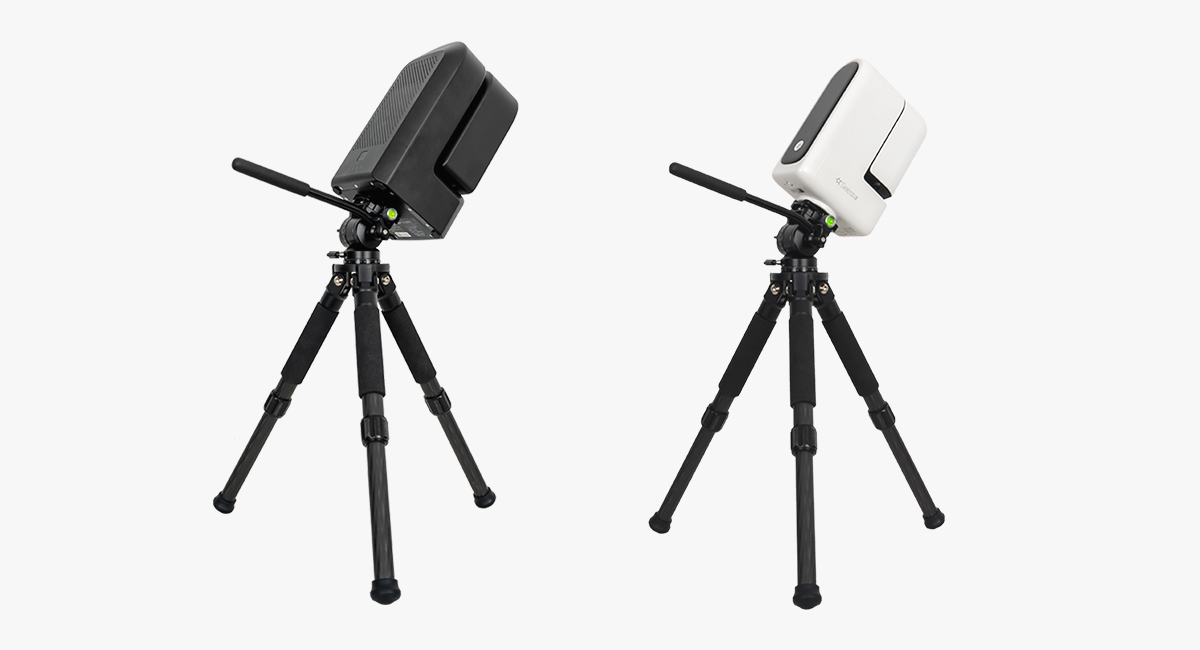
ZWO TC20 Tripod (compatible with SeeStar S30 / S30 Pro / S50)Upgrade your Seestar setup with the TC20 Carbon Fiber Tripod, a lightweight, sturdy, and adjustable tripod—perfect for a Seestar S30 or Seestar S30 Pro, or for a Seestar S50 in need of a replacement for the stock tripod.
Adjustable Height & Easy Leveling: The TC20 tripod can be adjusted between 9.3” and 14.4” (235–365 mm) tall, with independently adjustable legs that make it simple to level your setup on uneven terrain. Lightweight & Portable Design: Constructed from carbon fiber, the tripod weighs just 1.3 lbs (0.59 kg) while supporting up to 66 lbs (30 kg) of equipment. It folds down to 10.4” (265 mm) and comes with a protective drawstring carrying bag for convenient transport. Wide Compatibility: Features a standard 3/8″ threaded mounting screw for easy installation with a wide range of devices and accessories. Enhanced Stability: Equipped with rubber feet to ensure a secure, non-slip grip while reducing vibrations on various surfaces for steady performance. Connection MethodWhen using Seestar S50’s TC20 tripod with the TH10 tripod head, be noted that the tripod head might hit the tripod leg at some certain angles. Thus, this combo is not compatible with regions located below 15° latitude.Note: TC20 is the tripod that comes with the Seestar S50. 1. After unfolding the tripod, adjust each leg to the desired length and securely lock them in place. Then, place the tripod body on a flat, stable surface. Align one leg roughly towards the north (in the Northern Hemisphere). Carefully observe the spirit level and adjust the leg height to ensure the bubble is centered within the marked circular indicator. At this point, the tripod is properly set up. 2. First, install TH10 by screwing the 1/4″ to 3/8″ threaded screw adapter into the Seestar, subsequently, use a coin wrench to tighten the screws of the adapter.
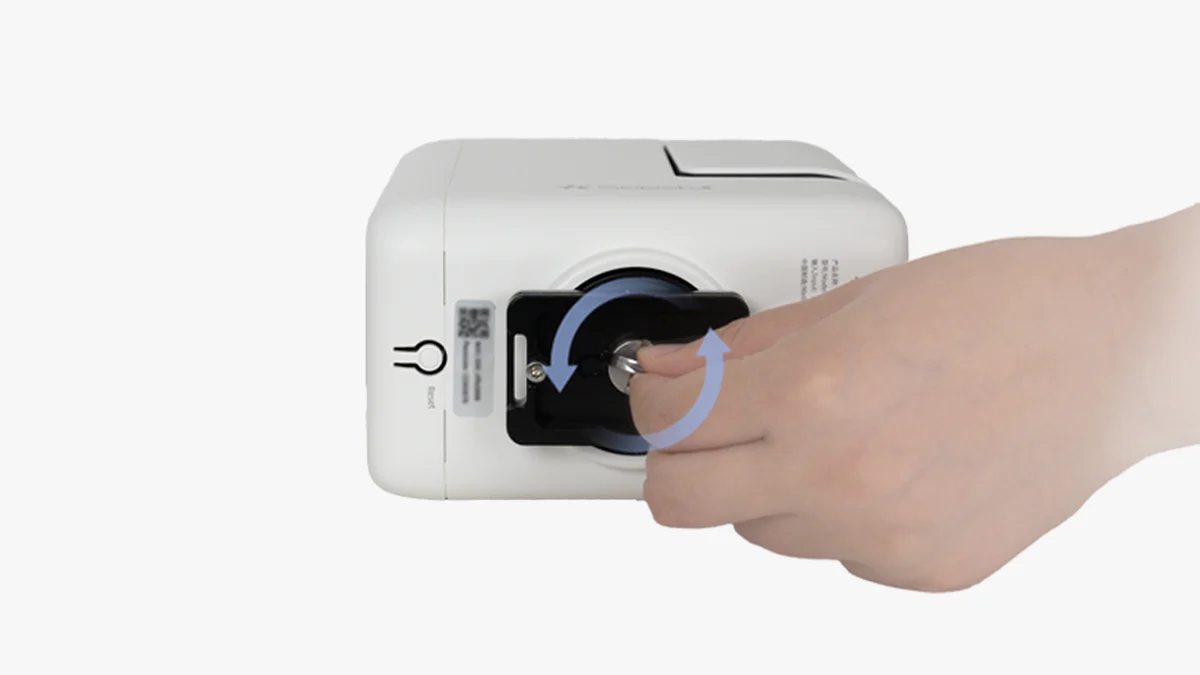
3. Attach the quick release plate, making sure it fits securely with the Seestar. (See attached pictures for reference). Then, tighten the screws on the quick release plate to ensure proper polar alignment during the setup process.
4. Tighten the horizontal adjustment knob at the bottom of the TH10 and attach the TH10 to the tripod. Then, loosen the knob and keep the dovetail groove pointing North, which should align with the north-facing support leg. Finally, tighten the knob.
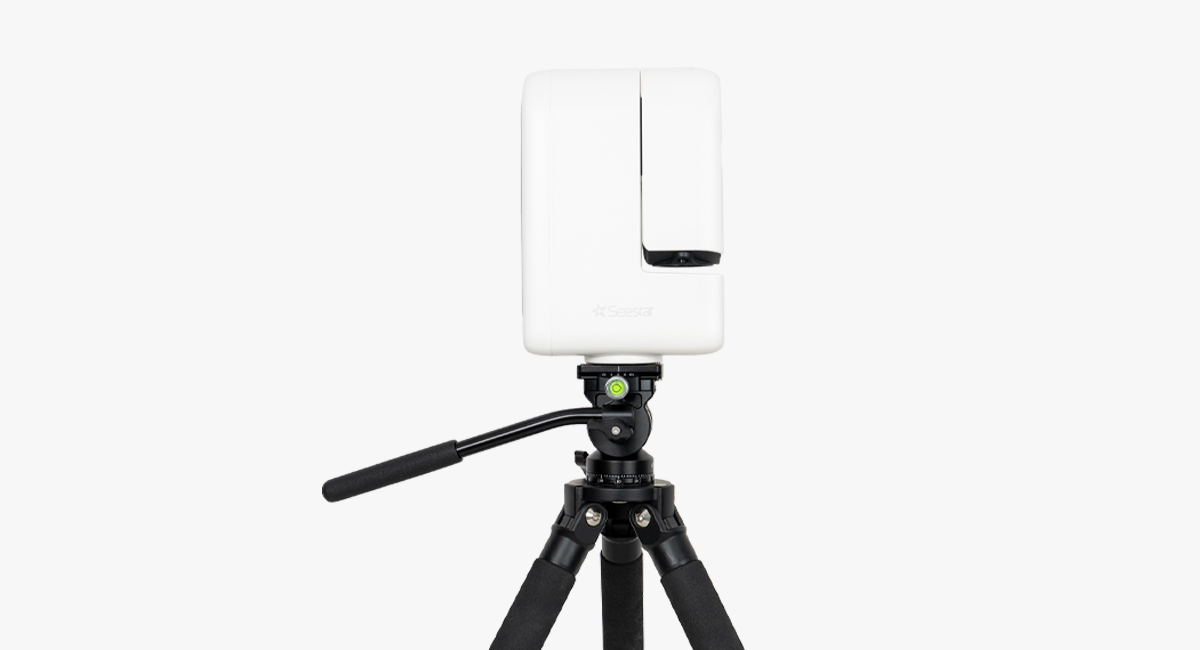
5. Install the Seestar device onto the TH10, aligning it with the dovetail groove. Tighten the knob firmly to ensure the equipment is secure. Once confirmed, the installation is complete.
Seestar TH10 hydraulic tripod head enables the Seestar S50 and S30 to operate in equatorial (EQ) mode.
|



สินค้าที่เกี่ยวข้อง
สินค้าแนะนำ
รีวิว
ส่งให้เพื่อน

-

กล้องดูดาว Levenhuk LabZZ T2 Telescope
฿2,232.00 -
ZWO ASIAIR PLUS, รุ่นความจุ 256GB
฿14,500.00 -
ZWO Seestar TH10 Fluid Tripod Head
฿3,490.00


ส่งให้เพื่อน
บัญชี
รีวิว

ผู้ผลิต
สินค้าขายดี


ลิขสิทธิ์ © 2012-2026 ThaiExcite


