
ThaiExcite
88/41 Kanlapapruek Road, Bangkae, Bangkae, 10160, Bangkok, ประเทศไทย
ติดต่อสอบถาม: 081-239-3299
อีเมล์: info@thaiexcite.com
URL: http://www.thaiexcite.com/ZWO-WiFi-extender-improve-WiFi-range-of-ASIAIR-PRO-.html
*เลิกผลิตแล้ว* ZWO WiFi extender (เพิ่มระยะ WiFi สำหรับ ASIAIR PRO)
รายละเอียด
รายละเอียด
Product Description
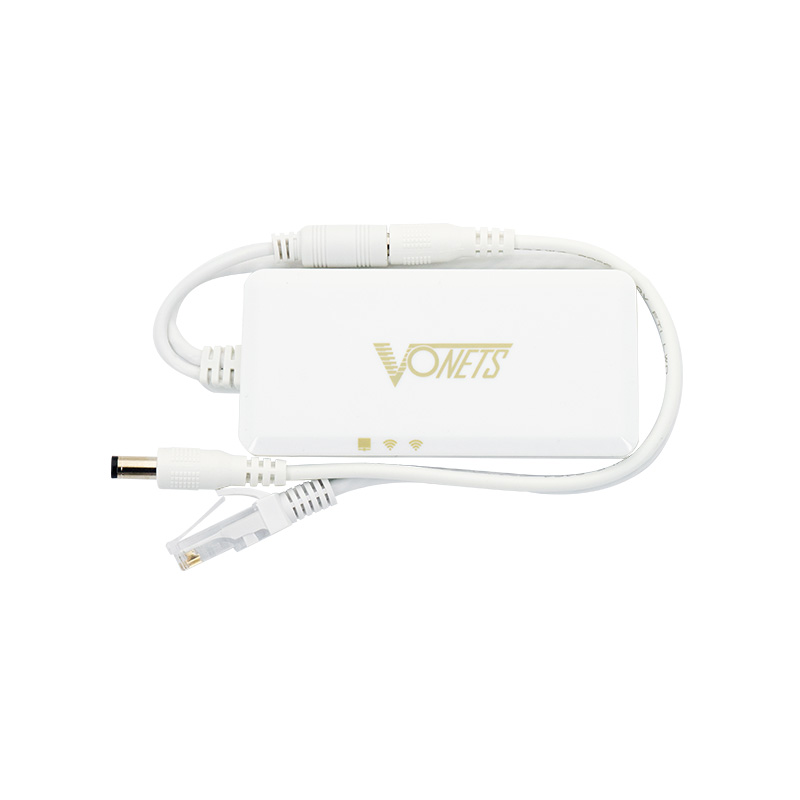
The ZWO WiFi extender is released for ASIAIR PRO to improve WiFi coverage and expand its signal. It offers a more stable and more comfortable using experience for all ASIAIR users. Watch TV, lie on your sofa, spend time with your families… now you can just stay in your house with your setup outside and take astrophotos freely without worrying about dead zones or spotty signals!
Some features:
- WiFi intelligent bridge & repeater, which can realize wireless to wired, wired to wireless function;
- Support both 2.4G and 5G WiFi band;
- Support connecting more than 20pcs WiFi terminal at the same time;
- WiFi transmission rate: 300Mbps (2.4G) + 900Mbps (5G);
- Point to point no-barrier transmission distance: 300 meters (802.11A);
- Can be powered by DC 12V power supply and USB 5V.

Recommended connection method: AP Mode

Step 1
Since the USB 5V might not be enough to power the WiFi extender, we recommend you use DC 12V power supply. You can directly connect the WiFi extender to ASIAIR PRO via ASIAIR PRO’s DC 12V output port and Ethernet port.
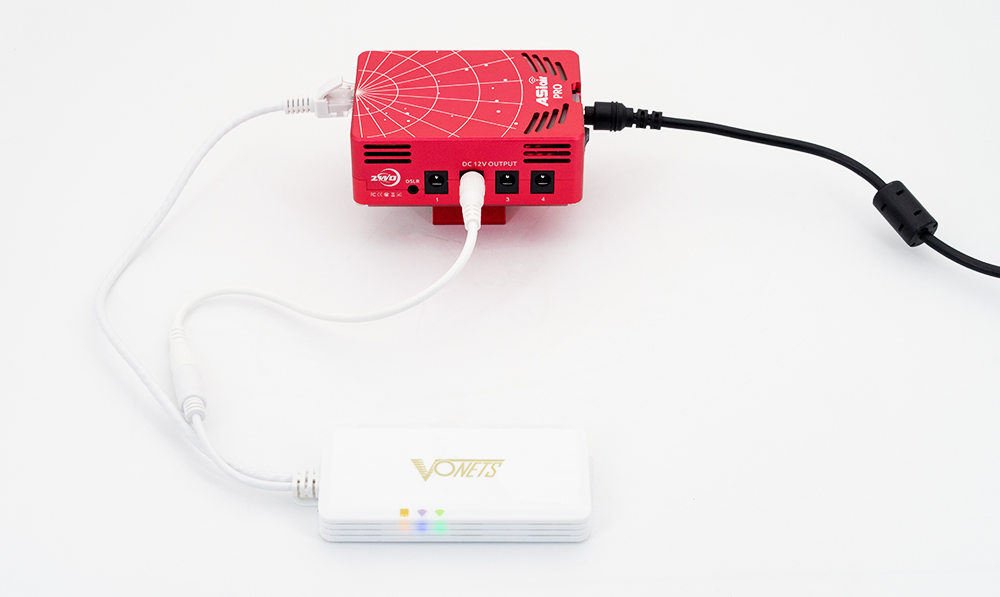
When the green indicator is flashing rapidly, it indicates the WiFi extender is working properly.
Step 2
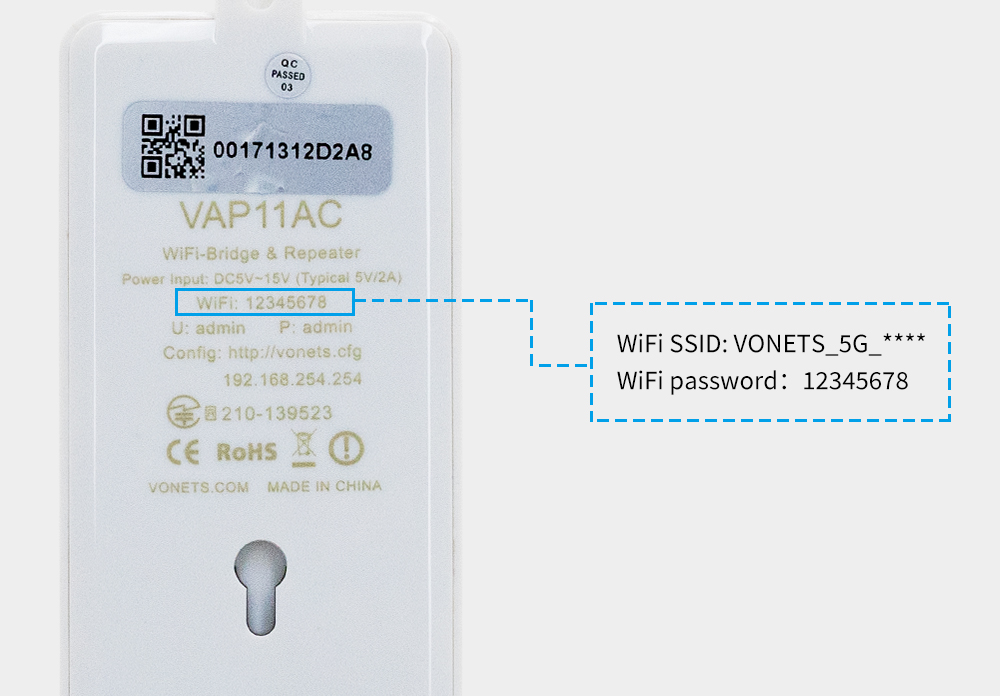
Connect your phone to the WiFi extender. The code can be found at the back of the WiFi extender. It is recommended to choose 5G because the signal of 5G is stronger than 2.4G and the transmission speed is also faster.

Open the App and confirm the network your phone connected to. Hit Next to move on.

Scan ASIAIR and connect your phone to it.

Here you go, you can now start astrophotography with comfort!
Except from AP mode, you can also login in to the configuration site of the WiFi extender to set station mode. For detailed instruction, please refer to the quick guide of the ZWO WiFi extender.
What’s in the box?
